Asana
Tasks assigned to you in the workspace you choose. Map two fields once, because Asana does not supply them.
What Diarized reads
- How long it takes
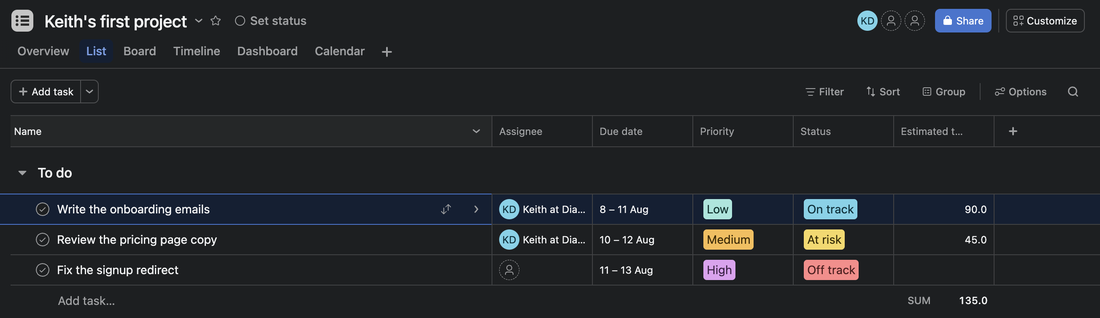
- The custom field that you map as the estimate, read as minutes. If Asana made the field “Estimated time”, Diarized selects it for you. With no mapping, the task books 30 minutes.
- How urgent it is
- The custom field that you map as priority. Diarized knows Urgent, High, Medium, Low and the usual variants.
- When it is due
- Asana's own due date. Diarized reads a due time in your own time zone. Diarized reads a date alone as the day it shows.
- How to mark it done
- Complete the task in Asana, or use the “Mark done” link in the block.
What gets scheduled
Tasks assigned to you in the workspace you chose. Diarized includes undated tasks, and a switch turns them off. Diarized skips subtasks, so it never books a parent and a child together.
Worth doing
- If your workspace has no “Estimated time” field, add a number custom field and map it. One field, mapped once, improves every schedule after it.
The one thing to know
Asana has no duration field and no priority field of its own. Each one you see is a custom field that somebody in that workspace made. Until you map yours, every task is 30 minutes at equal weight. That schedule works, but it is blunt.