Linear
Issues from your active cycle, booked around your real meetings. The sprint plan becomes time in your day.
What Diarized reads
- How long it takes
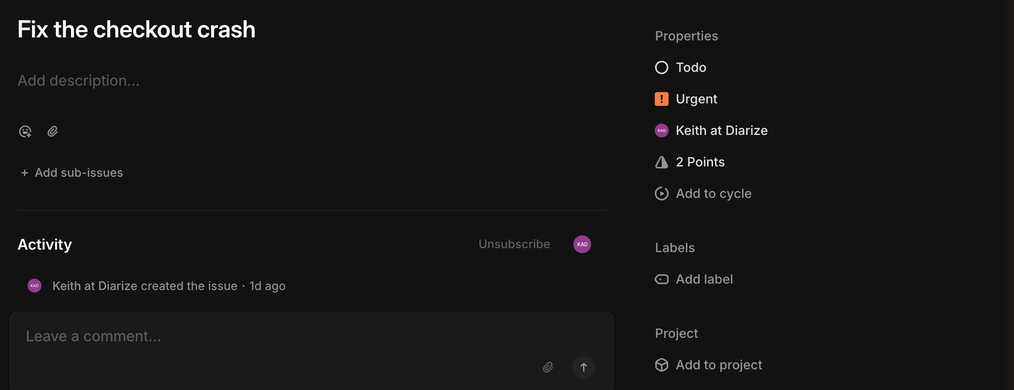
- The issue's estimate, at a rate you set. One point is one hour until you change the rate on the source's settings page. An issue with no estimate books 30 minutes.
- How urgent it is
- Linear's own priority — Urgent, High, Medium and Low.
- When it is due
- The issue's due date, if your team sets one.
- How to mark it done
- Complete the issue in Linear, or use the “Mark done” link in the block. Diarized then moves the issue to its team's Done state.
What gets scheduled
Issues assigned to you in the active cycle. The settings page has a switch to include the backlog. The switch is off, because a full backlog is not a schedule.
Worth doing
- If your team estimates in half-days, set the minutes-per-point rate before the first sync. A rate of 240 minutes changes every block.
The one thing to know
A new Linear team starts with estimates off and cycles off. This integration is built on those two features. Turn both on in the team's settings, or every issue books as 30 minutes and no issue counts as current work. We found this with a fresh team, not in the documentation.
← All guides · Connect Linear · Everything Diarized supports