Microsoft To Do
Comes with the Microsoft sign-in. Outlook is the calendar and To Do is the task list. One consent covers both.
What Diarized reads
- How long it takes
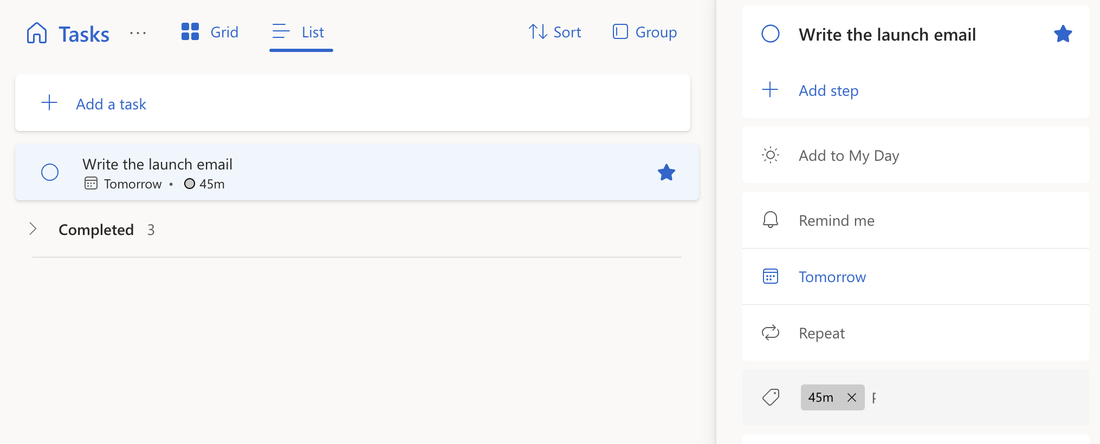
- Give the task one of the six duration categories, from 15m to 2hr. We add these categories to your account when you connect. A marker in the title (“90m”) also works.
- How urgent it is
- To Do's importance flag. The flag has three levels — high, normal and low — and Diarized ranks four. High becomes the top rank and low becomes the bottom rank.
- When it is due
- To Do's own due date.
- How to mark it done
- Tick the task in To Do, or use the “Mark done” link in the block.
What gets scheduled
Every open task in the lists you chose. If you turn the To Do setting on, flagged emails appear here too and schedule like any other task.
Worth doing
- Set a category in the task's detail pane. To Do then offers that category everywhere.
- “Important” in To Do is the top rank. The flag stops at high, so nothing can rank above an important task.
The one thing to know
Three importance levels must become four ranks, so the mapping is coarser than Todoist's. In To Do, only an earlier “high” task can outrank a “high” task.
← All guides · Connect Microsoft To Do · Everything Diarized supports