Todoist
The best-rounded free option. Todoist gives you real priorities, real due dates, and a duration convention that we add when you connect.
What Diarized reads
- How long it takes
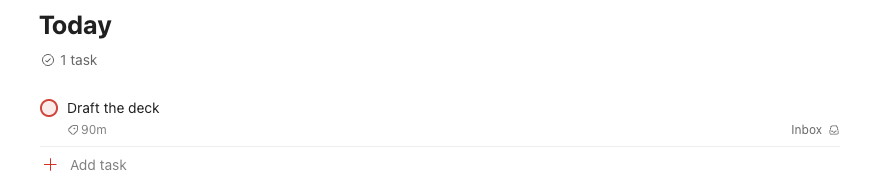
- Put one of the six duration labels on the task — 15m, 30m, 45m, 1hr, 90m or 2hr. We add these labels to Todoist when you connect, so they are in the label picker. You can also write the length in the title: “Draft the deck 90m”.
- How urgent it is
- Use Todoist's own p1–p4, exactly as you use them now. p1 goes first.
- When it is due
- Todoist's own due date. The due date orders the queue. Under the deadline rules on the settings page, the due date can outrank priority.
- How to mark it done
- Tick the task in Todoist, or use the “Mark done” link in a calendar block. Both ends stay in step.
What gets scheduled
Every open task in the projects you chose at setup. If you chose no projects, Diarized reads all of them. Todoist has webhooks, so your changes come to us immediately.
Worth doing
- “Write the quarterly report 90m” with priority p1 books a 90-minute block before everything else.
- A task with no duration label books as 30 minutes. If your schedule is a wall of half-hours, this is the cause.
The one thing to know
Todoist's real duration field is paid-only, which is why the labels exist. On a free Todoist plan the label is the duration. Diarized can read nothing else.
← All guides · Connect Todoist · Everything Diarized supports